ModelRailroadForums.com is a free Model Railroad Discussion Forum and photo gallery. We cover all scales and sizes of model railroads. Online since 2002, it's one of the oldest and largest model railroad forums on the web. Whether you're a master model railroader or just getting started, you'll find something of interest here.
Looking for someone who has messed with that program where you can custom color locomotives. I Have a fantasy scheme I'd like to see what It would look like before I have someone paint it. If you can help me out send me a message and we can go over the details.
Looking for someone who has messed with that program where you can custom color locomotives. I Have a fantasy scheme I'd like to see what It would look like before I have someone paint it. If you can help me out send me a message and we can go over the details.
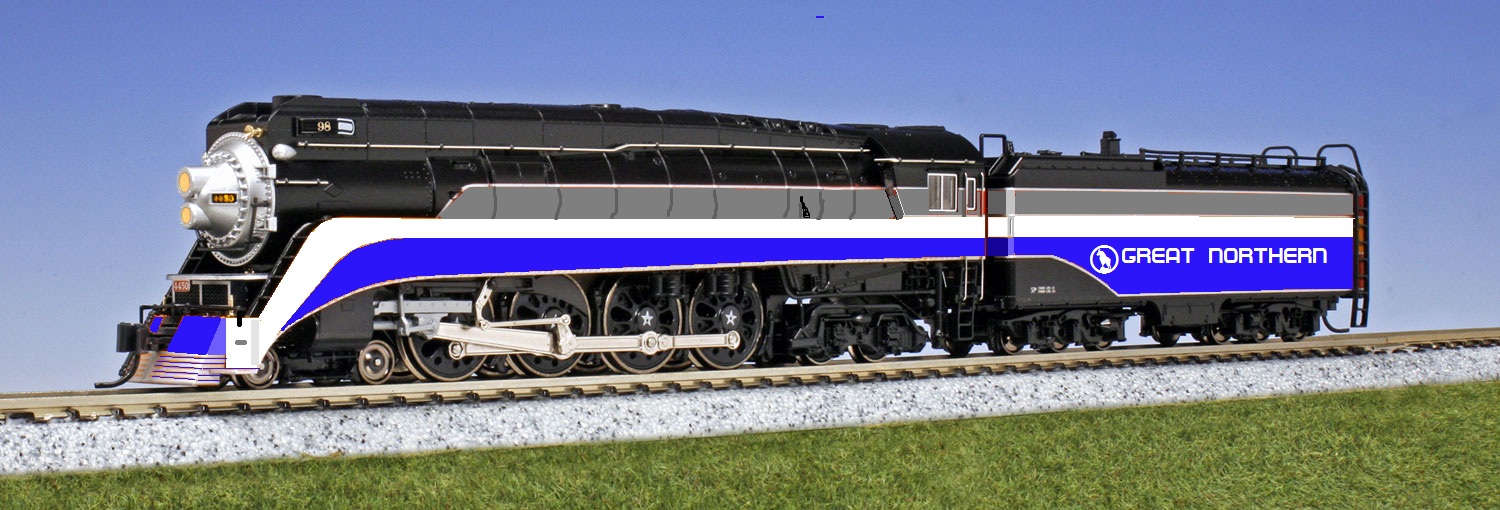
You mean like this one done for someone on another forum:
original
repainted
It was done with '"Paint". The one that comes with Windows. Of course all the rivet detail was lost. But the point was just to see the over all effect.
P.S. OK so how do I get the photos to be smaller? I go into edit and instead of getting a
Using a better program like GIMP or Photoshop Elements, you can alter the color without painting over the detail. Mask off the area you want to change and use the Hue Adjust feature.
P.S. OK so how do I get the photos to be smaller? I go into edit and instead of getting a tag that I could edit to put a "size" on, the photo is coming up in the editor. ???[/quote]You need to resize in your paint program.
There's that, too, but I often have trouble with colors bleeding into areas where I don't want any change. So masking off and using Hue Adjust works just as well.
Here's another quickie. To get the white area, completely desaturate the selection, then adjust lightness and contrast.
Another point about the Replace Color that Charles mentioned is that it's better suited to images where the colors are uniform throughout the pic, like the one below. But trying to use it on a photo that has highlights and shadows is going to be a lot more difficult. The Hue Adjust is better suited for that.
So for the original poster - the point is that there are many tools that will work. It depends on how much detail you want in the mock up. I also have the Adobe Creative Suite 6, but most people like free better than $349. The Elements someone mentioned can be purchased in the $99 neighborhood. There is also a "free trial" one can get and use for 30 days. Remember as this discussion has shown there is a learning curve with any of these products.