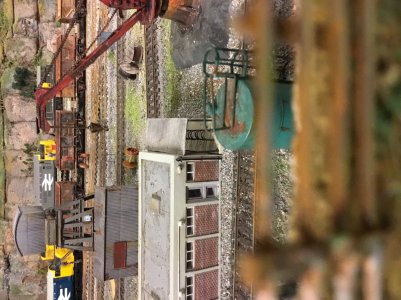
00 gauge, British railway, Goathland Station aka Hogwarts Station a real preservation station in England

ModelRailroadForums.com is a free Model Railroad Discussion Forum and photo gallery. We cover all scales and sizes of model railroads. Online since 2002, it's one of the oldest and largest model railroad forums on the web. Whether you're a master model railroader or just getting started, you'll find something of interest here.


Real refuelling depots
 

Attachments

  • 1995-7233_LIVST_RX_217.jpeg
    1995-7233_LIVST_RX_217.jpeg
    47.8 KB · Views: 96
  • cm111011-67030-Hhd-6.jpeg
    cm111011-67030-Hhd-6.jpeg
    45.7 KB · Views: 102
  • pic350.jpeg
    pic350.jpeg
    15.9 KB · Views: 92
My refueling
Knightwing optional roof
 

Attachments

  • IMG_3408.jpeg
    IMG_3408.jpeg
    533.9 KB · Views: 105
  • IMG_3413.jpeg
    IMG_3413.jpeg
    460.6 KB · Views: 91
  • IMG_3409.jpeg
    IMG_3409.jpeg
    522.7 KB · Views: 100
  • IMG_3412.jpeg
    IMG_3412.jpeg
    539.6 KB · Views: 92
  • IMG_3486.jpeg
    IMG_3486.jpeg
    461.2 KB · Views: 89
  • IMG_3487.jpeg
    IMG_3487.jpeg
    459.9 KB · Views: 99
  • IMG_3488.jpeg
    IMG_3488.jpeg
    453.1 KB · Views: 101
  • IMG_3489.jpeg
    IMG_3489.jpeg
    542.8 KB · Views: 79
  • IMG_3505.jpeg
    IMG_3505.jpeg
    398.1 KB · Views: 92
  • IMG_3510.jpeg
    IMG_3510.jpeg
    401.1 KB · Views: 96
did you move to down under? Your workbench is upside down

;)
No I had a glitch several years back, and I think looking at old work has just thrown it back up.
Yep Houston we have a problem
 

Attachments

  • IMG_4814.jpeg
    IMG_4814.jpeg
    550.3 KB · Views: 108
  • IMG_4822.jpeg
    IMG_4822.jpeg
    523.2 KB · Views: 93
  • IMG_4823.jpeg
    IMG_4823.jpeg
    414 KB · Views: 96
  • IMG_4848.jpeg
    IMG_4848.jpeg
    407.9 KB · Views: 89
  • IMG_4853.jpeg
    IMG_4853.jpeg
    357.7 KB · Views: 93
  • IMG_8230.jpeg
    IMG_8230.jpeg
    512.9 KB · Views: 97
  • IMG_6239.jpeg
    IMG_6239.jpeg
    532.1 KB · Views: 96
  • IMG_8454.jpeg
    IMG_8454.jpeg
    532.1 KB · Views: 89
  • IMG_1051.jpeg
    IMG_1051.jpeg
    578.7 KB · Views: 108
  • IMG_8229.jpeg
    IMG_8229.jpeg
    487.2 KB · Views: 91
Are you running windows? 11? If so, then just click on the photo, spin it until upright and click on the next arrow to go to the next photo. It'll automatically update the photo.

spin arrow in red circle.
SPIN ARROW.jpg


next arrow on right side.
NEXT ARROW.jpg


I have to do this all the time.

But awesome in any direction!


Apple iPad …
Not see ing an option for this, when I post them they show the correct way but then upload…
 

Attachments

  • IMG_0506.jpeg
    IMG_0506.jpeg
    498 KB · Views: 94
  • IMG_0507.jpeg
    IMG_0507.jpeg
    536.4 KB · Views: 97
  • IMG_1051.jpeg
    IMG_1051.jpeg
    578.7 KB · Views: 93
  • IMG_4855.jpeg
    IMG_4855.jpeg
    560.3 KB · Views: 104
  • IMG_4848.jpeg
    IMG_4848.jpeg
    407.9 KB · Views: 93
  • IMG_4814.jpeg
    IMG_4814.jpeg
    550.3 KB · Views: 106
It is not even consistent some 90 some 180
Not one upright :(
And all photos are effected not just old ones
And I had no recent updates so not a software update issue
I cannot remember if it was this iPad that had the problem previously
I have looked through options
Search for help issues…nothing nada zero
 

Attachments

  • IMG_9520.jpeg
    IMG_9520.jpeg
    335.3 KB · Views: 90
  • IMG_9517.jpeg
    IMG_9517.jpeg
    370.5 KB · Views: 97
  • IMG_9516.jpeg
    IMG_9516.jpeg
    401.7 KB · Views: 98
  • IMG_9488.jpeg
    IMG_9488.jpeg
    359.3 KB · Views: 95
  • IMG_9434.jpeg
    IMG_9434.jpeg
    368.7 KB · Views: 103
  • IMG_9432.jpeg
    IMG_9432.jpeg
    457.9 KB · Views: 108
  • IMG_9227.jpeg
    IMG_9227.jpeg
    370.4 KB · Views: 91
  • IMG_9496.jpeg
    IMG_9496.jpeg
    345.1 KB · Views: 89
  • IMG_9489.jpeg
    IMG_9489.jpeg
    356.5 KB · Views: 92
  • IMG_9512.jpeg
    IMG_9512.jpeg
    351.8 KB · Views: 87
Apparently the one software has to read another’s software correctly, and if they perceive it wrong can then start flipping. As far as I know my software has had no updates I wonder if midelrailroadforums has had a software update and it is not reading mine properly.
Previously if I remember correctly I stopped using a real camera :( for my phone camera and it worked.
If it was just old pictures I would suspect my old camera photos
But it is effecting my phone kit as well.
If I have to update my Ipad or phone then I am done for :( neither can get past 10.
 
Sometimes the phone cameras have their orientation stuck in a certain aspect for a few seconds when you flip the phone over to get the angle you want. I try to remember to pause, and look at the little square preview image next to the "Press to take photo" button on my iphone. Sometimes I have to un-tip the camera, then re-tip it.

It may be something like that. Your phone/ipad recognizes the image needs to be turned when you view it, but the master was recorded in a different tilt orientation because the phone hadn't locked into gravitational waves yet.

 
Sometimes the phone cameras have their orientation stuck in a certain aspect for a few seconds when you flip the phone over to get the angle you want. I try to remember to pause, and look at the little square preview image next to the "Press to take photo" button on my iphone. Sometimes I have to un-tip the camera, then re-tip it.

It may be something like that. Your phone/ipad recognizes the image needs to be turned when you view it, but the master was recorded in a different tilt orientation because the phone hadn't locked into gravitational waves yet.
Thus if I loaded pictures that I loaded recently that were ok, they should be ok…lso let’s try that…
2 pages ago thewe loaded fine now one is ok
 

Attachments

  • 2012-06-10 020.jpeg
    2012-06-10 020.jpeg
    302.6 KB · Views: 93
  • IMG_0178.jpeg
    IMG_0178.jpeg
    345.5 KB · Views: 95


Affiliate Disclosure: We may receive a commision from some of the links and ads shown on this website (Learn More Here)

Back
Top